
Important
How to register your accommodation
How to register your accommodation
1. In the ‘⑤Lodging’ section, choose the room type that suits you.
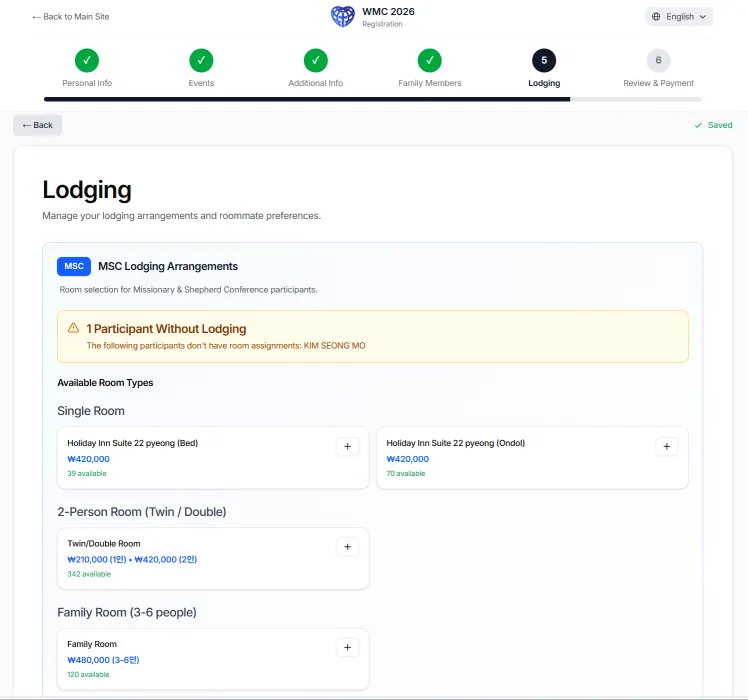 2. When you select a room type, the following screen appears.
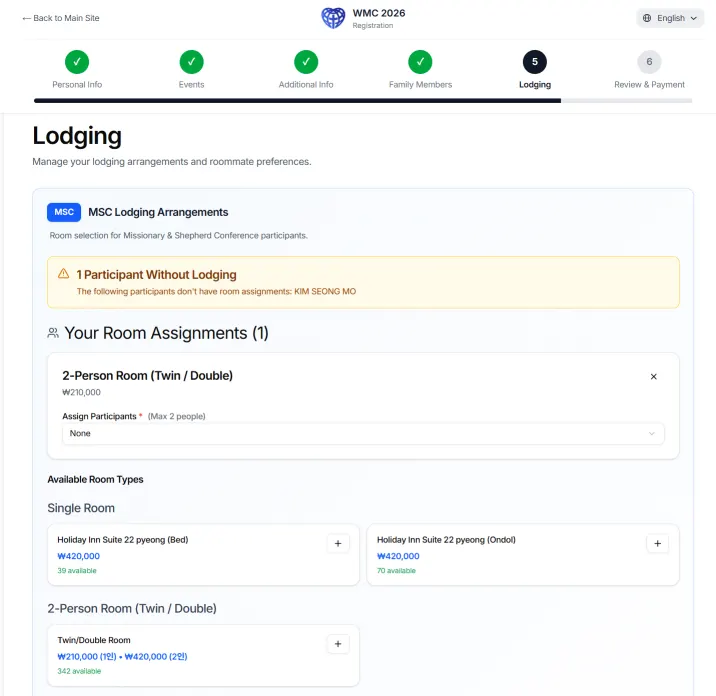 3. On the screen above, click ‘None’ in the box under ‘Assign Participants’. Then your name will appear. Selecting your name will advance to the next step.
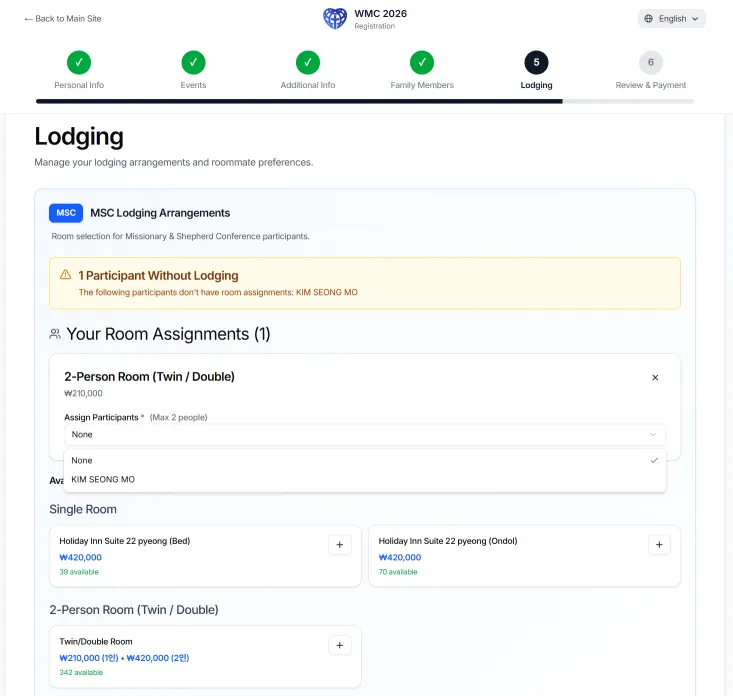 4. If you want to change the room type, click the ‘×’button in the right corner to delete it and start again.
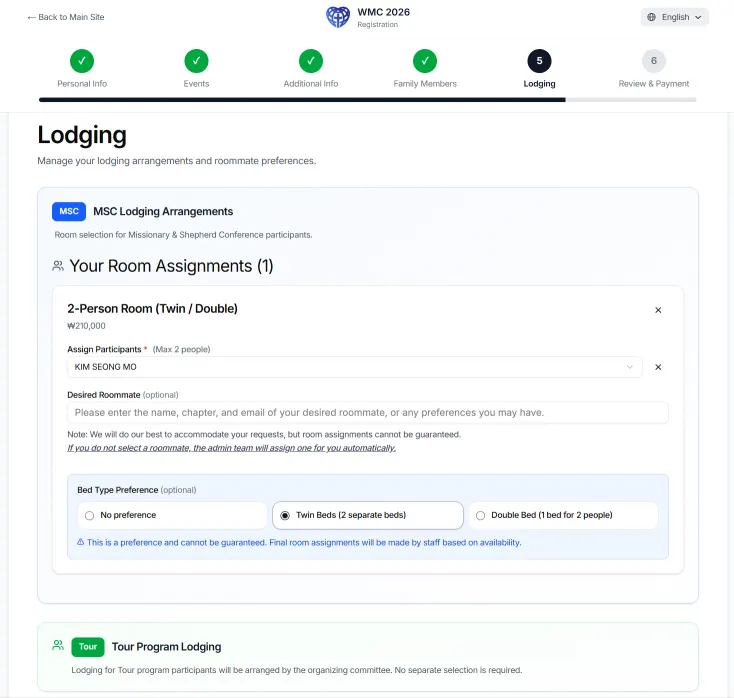 5. In the box under ‘Desired Roommate’ section, enter the name, affiliated church, and email address of your desired roommate. we will do our best to accommodate your requests, but room assignments cannot be guaranteed. If you do not select a roommate, the admin team will assign one for you automatically. Next, you can also choose the bed type. Thank you.