
Missionary Shepherd Conference 2026
Google Translate App Live Translation Guide
Korean → English and other languages in just 3 phone screens
During the lecture, you only need to remember 3 screens: open the Google Translate app → tap Live translate → choose Text Only or Listening mode.
⚡ 1-Minute Setup
- ✓ Install Google Translate (App Store / Google Play)
- ✓ Source language: Korean, target: English or Spanish
- ✓ Allow microphone permission · Connect Wi-Fi or data
- ✓ Bring earphones if you want to use Listening mode
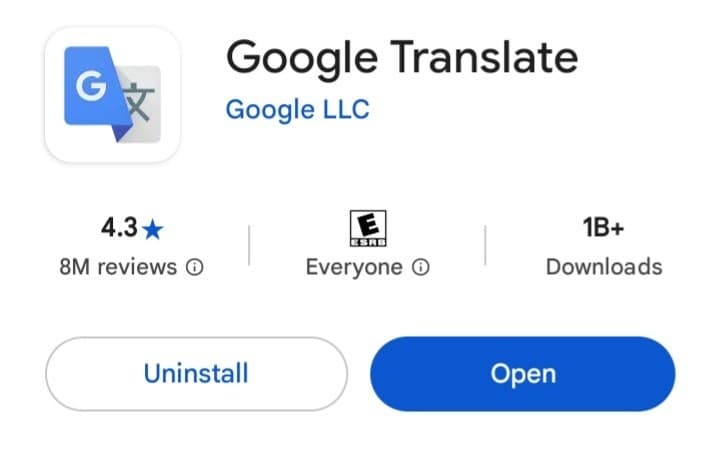
First, install the app
Search for 'Google Translate' in the App Store (iPhone) or Google Play (Android) and install it. If you already have it, just tap 'Open'.
3 Screens, 3 Steps
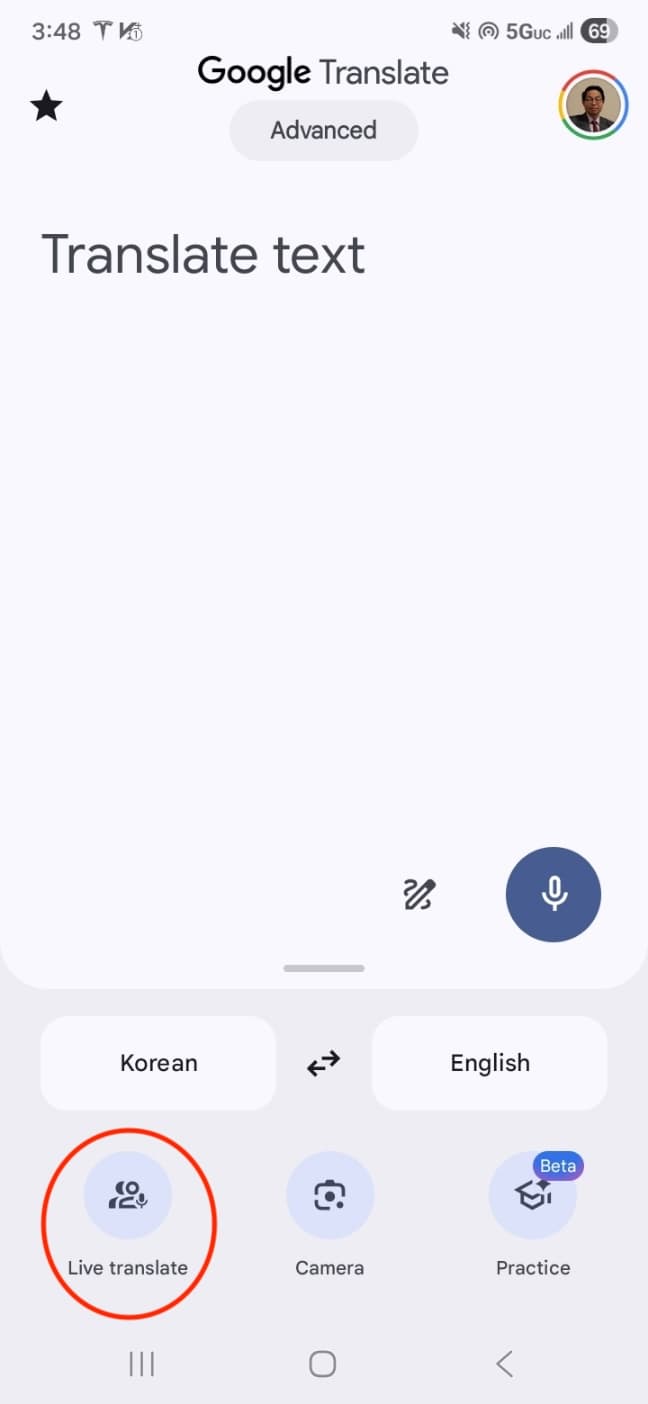
Open the app
When you launch Google Translate, this is the first screen you see. Tap the 'Live translate' icon at the bottom-left.
👉 Tap 'Live translate' (bottom-left)
※ In some countries, the 'Live translate' button may not be available depending on the installed app version. In that case, please update the app to the latest version or use the standard translation feature.
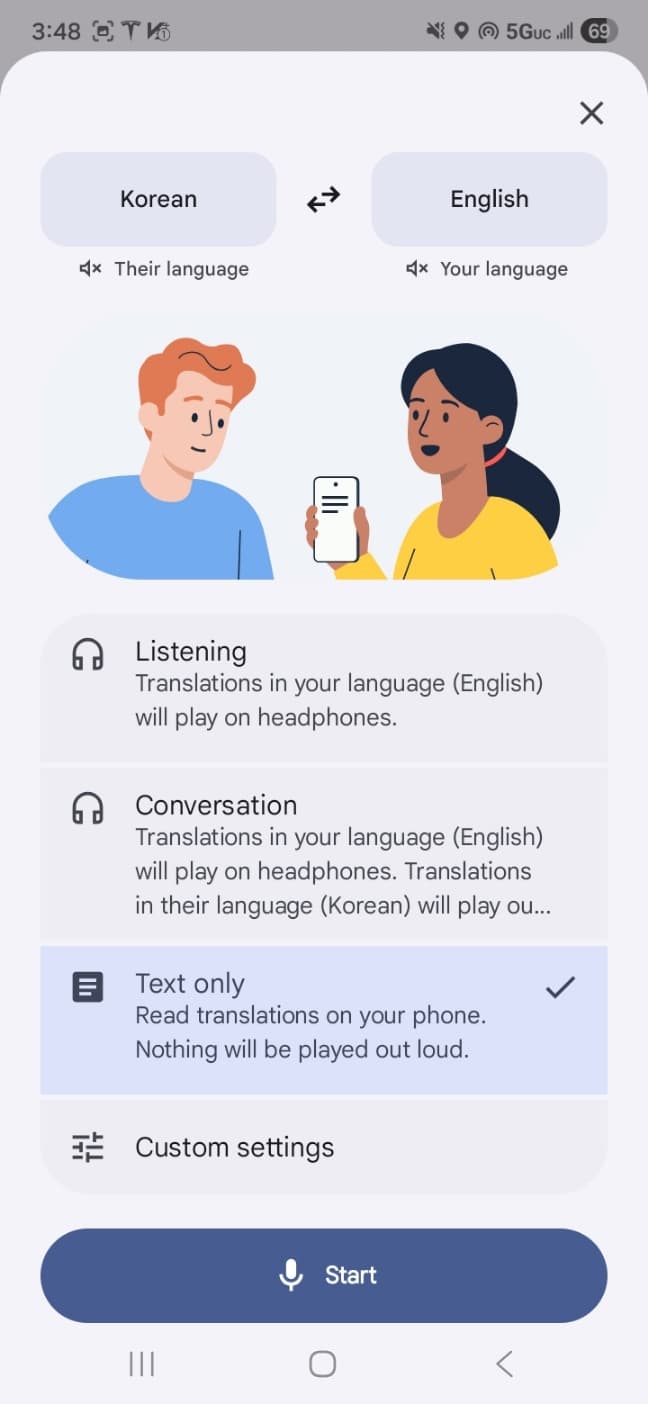
Pick a translation mode
You'll see two options. Choose one:
Only the translated text (English/Spanish) is shown on screen, like subtitles. Quietest and most reliable. Recommended.
Hear the translation spoken in your earphones. This mode is only enabled when earphones are connected. Note: if the speaker talks fast without pauses, the audio gradually falls behind.
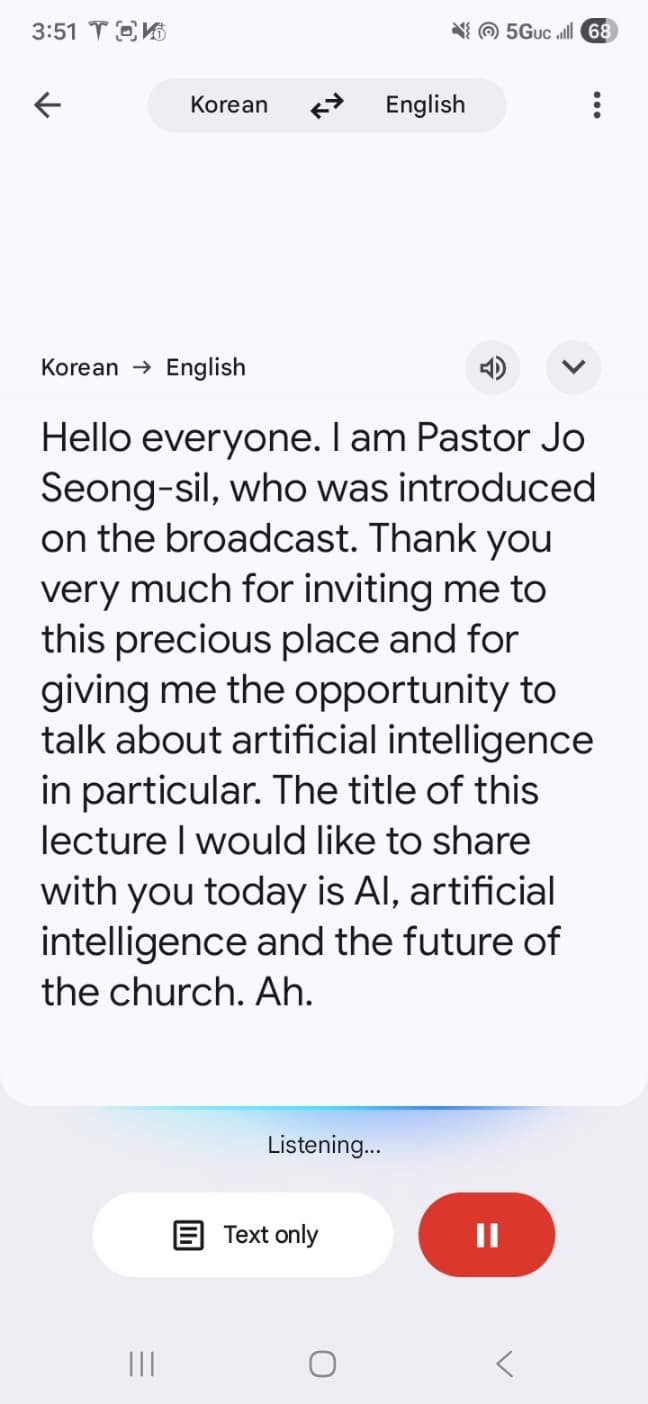
Read or listen in real time
As the speaker talks in Korean, the English or Spanish translation streams on screen. In Text mode, just read it like live subtitles.
💡 The most reliable setup
Text Only mode + a front-row seat + a power bank. This combination gives you the most accurate translation and lets you follow the lecture without dropouts.
Download Google Translate
Install the app before the lecture starts. It's free.